
1
Connect the head unit
Plug your computer into the car's head unit with a USB data cable and enable USB debugging. The tutorial shows every screen.
Free install from your browser
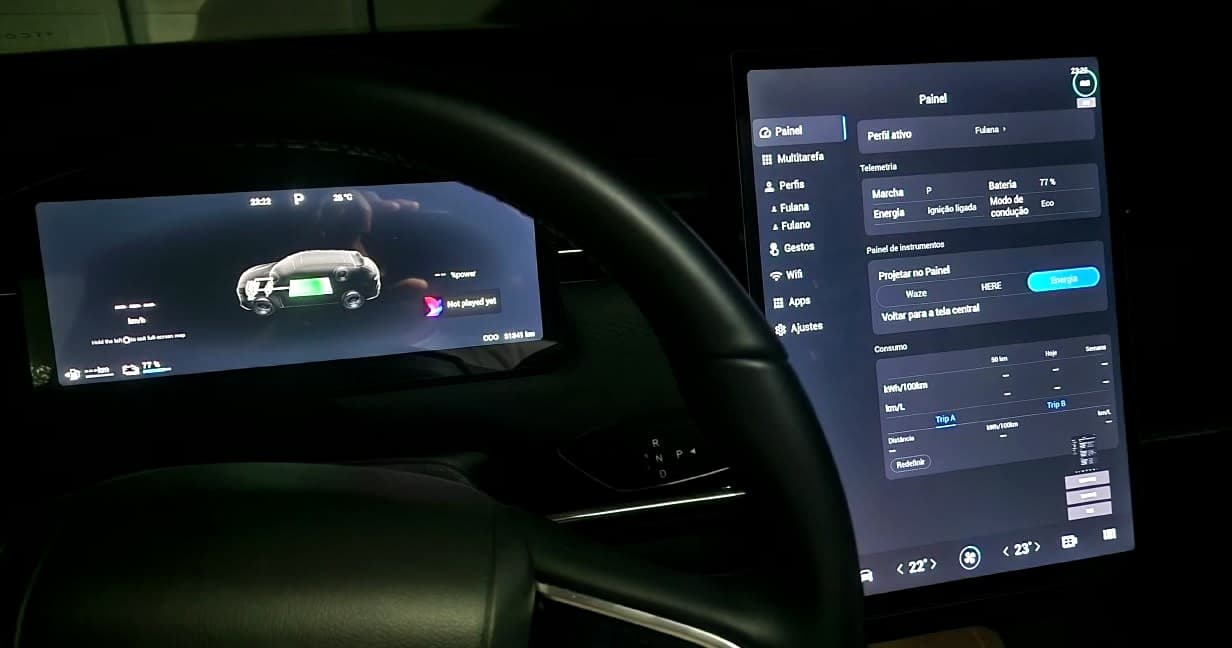
JConfig unlocks map projection on the instrument cluster, automatic driver profiles, touch gestures and apps on the head unit of compatible Chery group cars.
Apps on the head unit
With JStore, the app store that comes with JConfig, you install the apps you use most right on the head unit, no phone mirroring.

YouTube
Videos natively on the head unit

Spotify
Your playlists on the head unit

Waze
Even on the instrument cluster

YouTube Music
Music and podcasts
Google Maps
Full navigation
TV and IPTV
With your own list or subscription
And much more
More apps on JStore
YouTube, YouTube Music, Google Maps, Spotify and Waze are trademarks of their respective owners. JConfig is an independent project with no affiliation to these companies.
How it works
You install it once, from your browser. After that, JConfig updates itself on the head unit.
Plug your computer into the car's head unit with a USB data cable and enable USB debugging. The tutorial shows every screen.
Open the install page in Chrome or Edge and click install. Nothing to download on your computer.
Use everything unlocked for 3 days, free. Like it? Buy inside the app.
Features the car's head unit already has, surfaced in a way you can use every day.
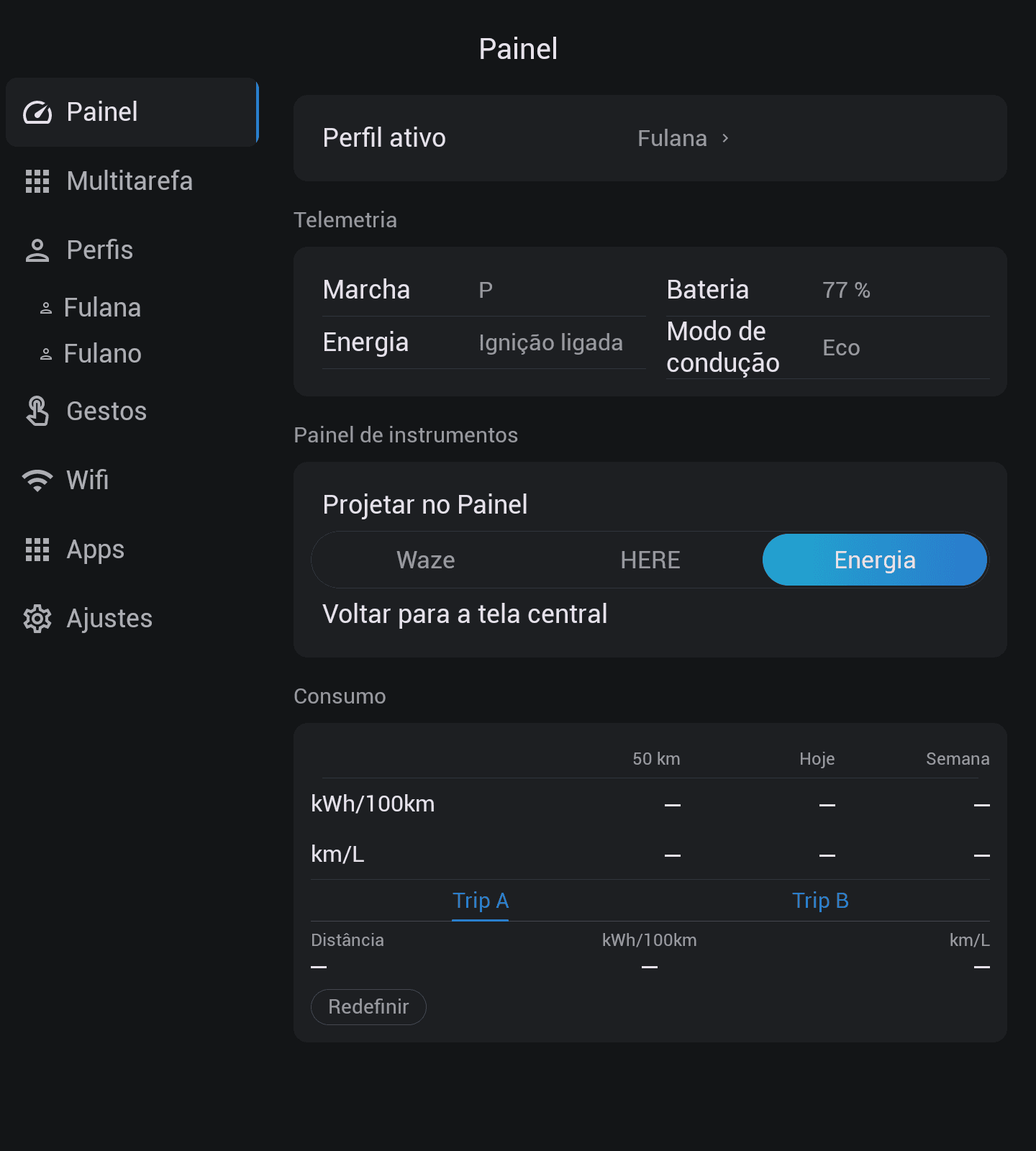
Live speed, gear, battery, ignition, drive mode and consumption, with no subscription.
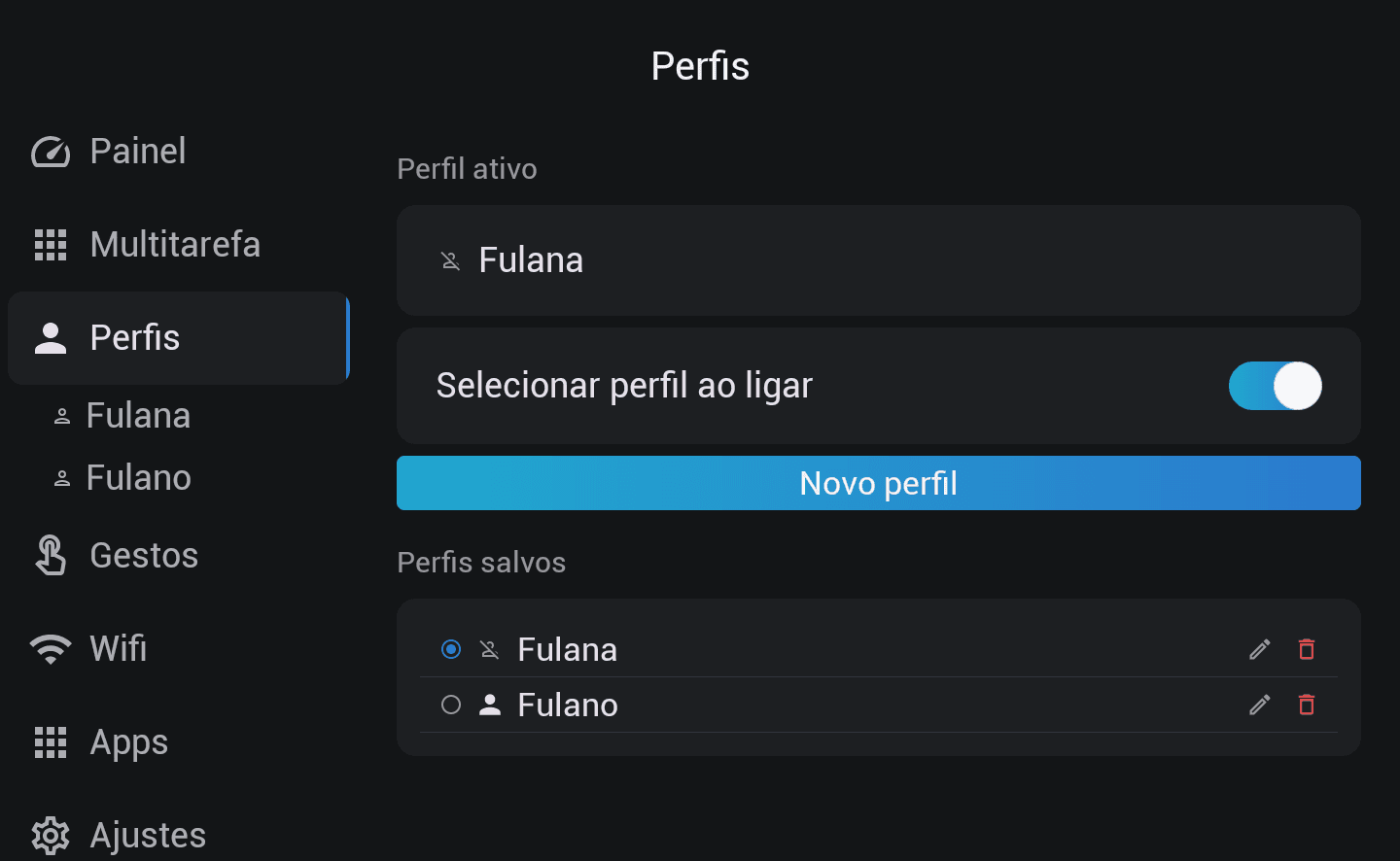
Create driver profiles that automatically apply all your preferences when the car starts — manual application, sunroof, shade, drive mode, seat height, ADAS and PHEV. In Premium, unlimited profiles.
Find and connect networks, hide launcher apps, and use updates, reports, languages and the global back gesture.
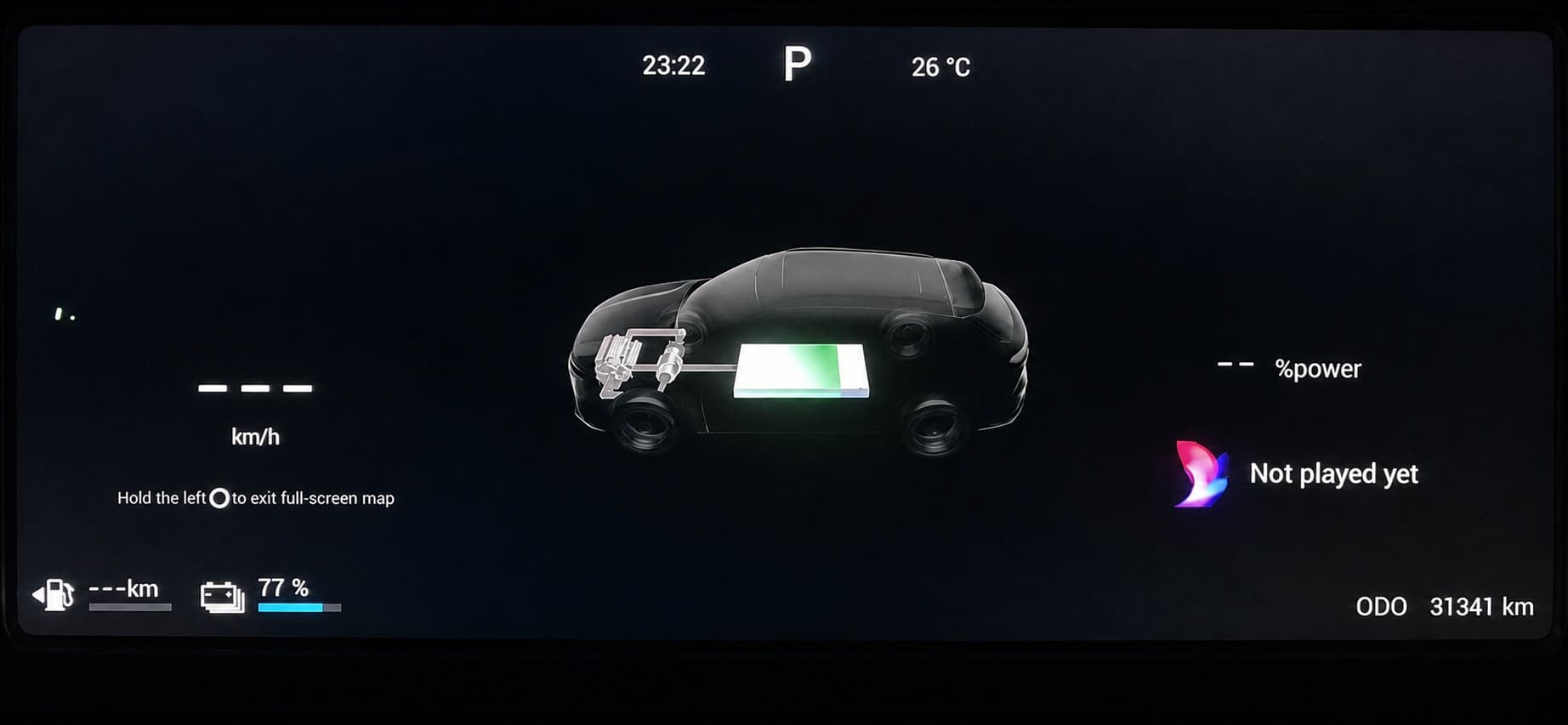
Waze, HERE and the energy flow projected onto the instrument cluster, right in your line of sight.
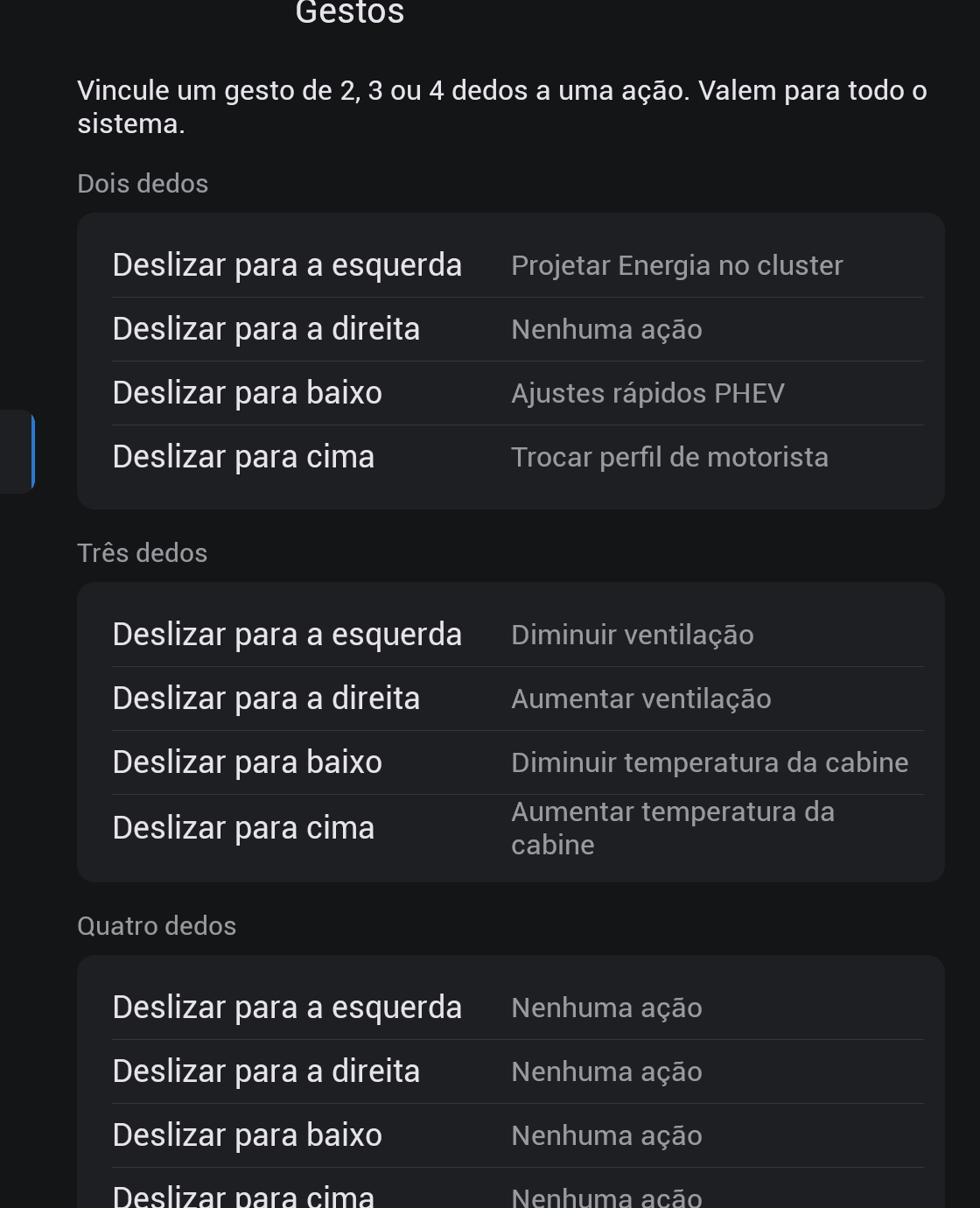
Configure all 12 multi-touch gestures and bind each one to the available Premium actions.
Save PHEV preferences per profile and use regeneration, charge management and a SOC target in the quick popup.
Save 12 ADAS settings per profile and receive full climate control when it becomes available.
Real owners
Real messages from the JConfig customer group on WhatsApp.
Loved the race mode you added. It gets more complete every day. This app beat all my expectations 👏🏻
A whole new life for the car. Perfect on the HUD.
Already tested it on the Tiggo 7 PHEV and the HUD worked perfectly with Waze.
The other features are already way too good.
It opened and worked normally. Thank you all.
Quotes shown without names or phone numbers to protect each customer's privacy. Translated from Portuguese.
Install free and try Premium for 72 h before you decide.